Skip to content

See where your work goes.

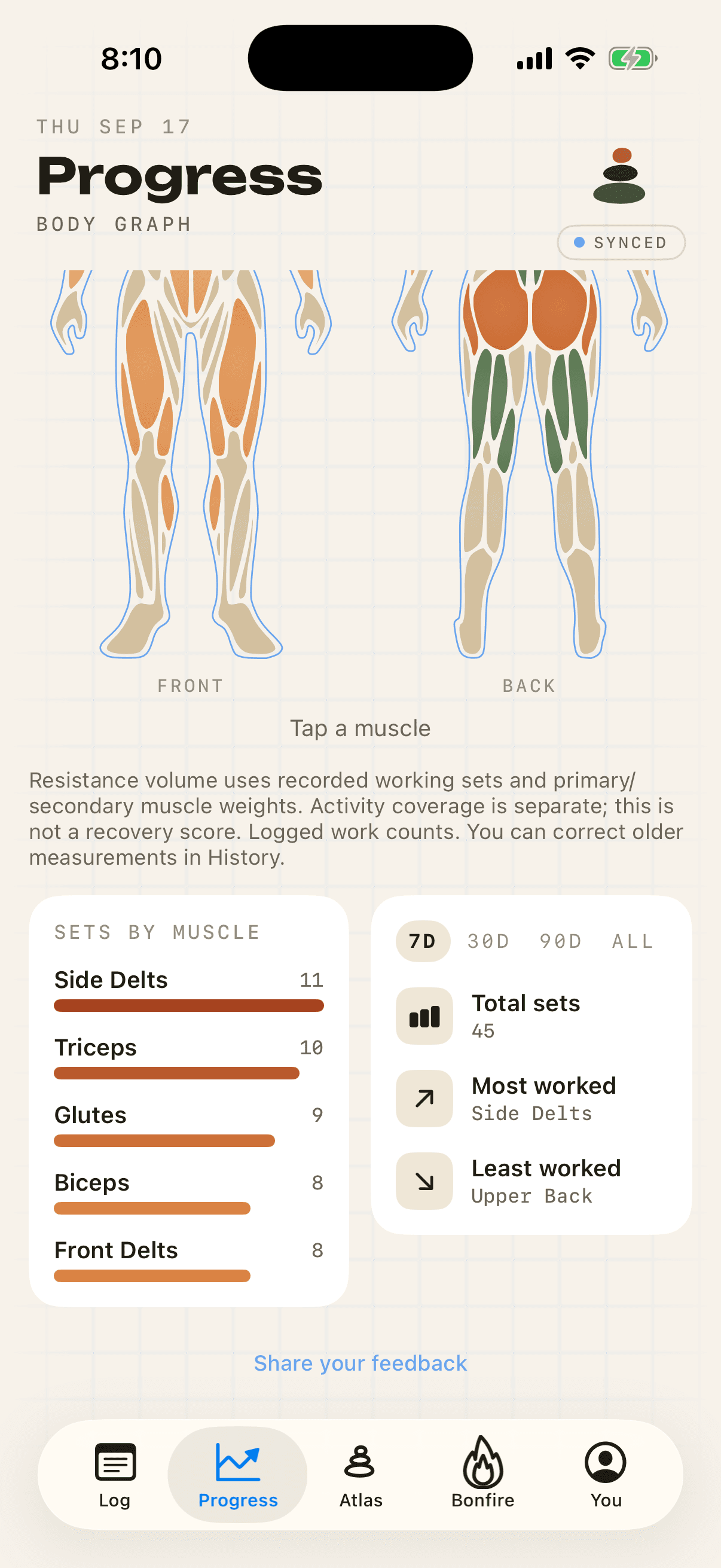
The body graph is Isofit's muscle heat map. It shades a front and back figure by the number of working sets (every logged set except warm-ups) you logged for each muscle, over the last 7, 30 or 90 days or your whole history. Muscles with the most credited work read warmest; those with relatively little stay pale. It counts the work you logged. It is not a recovery or soreness score. The full body graph is a Pro feature.

The body graph
Pro feature
Isofit's body graph: front and back body figures with each muscle shaded from pale to terracotta by working sets logged, above a sets-by-muscle list and 7, 30, 90 day and all-time filters.
RestMost worked

On screen

What the body graph shows

Figure
Front and back views with each muscle region shaded from rest to most worked.
Time windows
7 days, 30 days, 90 days, or all time.
Sets by muscle
A ranked list of muscles with the working sets credited to each.
Stat cards
Total sets, most worked muscle and least worked muscle for the window.
Muscle detail
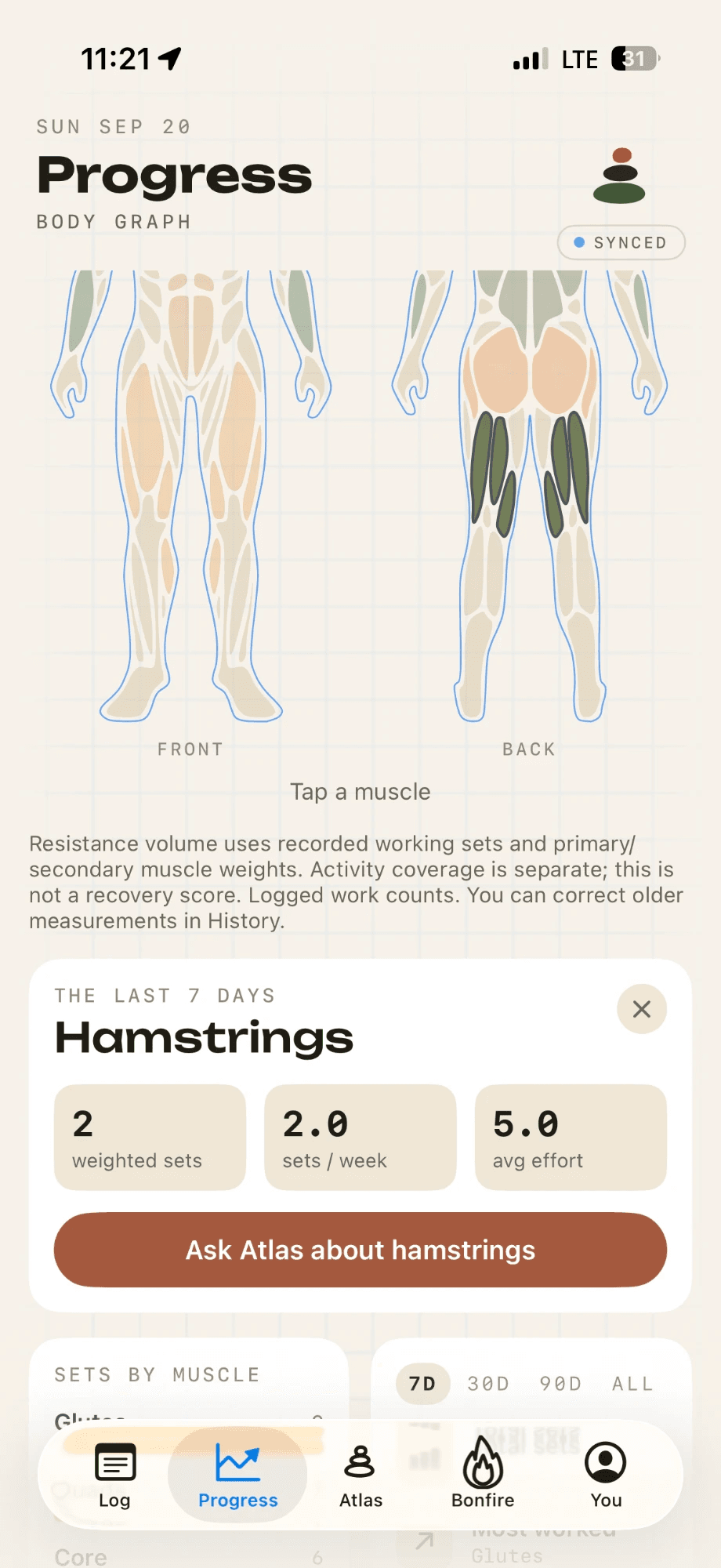
Tap a muscle on the figure to open its detail panel.
History
The second mode of the Progress tab: every past session, open on every tier.
The lower half of Isofit's body graph. A Sets by muscle list reads Side Delts 11, Triceps 10, Glutes 9, Biceps 8, Front Delts 8. Beside it a 7D, 30D, 90D and ALL filter sits above cards for Total sets 45, Most worked Side Delts and Least worked Upper Back.
Real screenSets by muscle, the four time windows, and the most and least worked muscle.

Reading it

Two kinds of gap, and a question for Atlas

A muscle you have not trained at all is a different problem from one you have trained less than usual, so Isofit labels them separately. Tap a muscle and its detail panel says "Not trained in this window" if it has no credited sets, or "Below your usual volume" if it has fallen behind your own typical training frequency. The comparison is with your own history, not with someone else's template.

The same panel hands the number to Atlas. It drafts a question for you along the lines of "My chest got 12 weighted sets over the last 30 days. Is that enough, and what would you change?", so the coach starts from the figure you are looking at.

When a window holds very little training, the whole figure is drawn dimmer. One logged set will not paint a muscle as fully worked; the scale opens to its full range at roughly two solid sessions' worth of sets.

The muscle detail panel in Isofit's body graph: Hamstrings over the last 7 days, with 2 weighted sets, 2.0 sets a week and 5.0 average effort, above an Ask Atlas about hamstrings button.
Real screenTap a muscle and its panel shows the sets it got in the window, then hands the question to Atlas.

Method

How the body graph is calculated

The unit is the working set. Each working set you log gives full credit to the exercise's primary muscles and partial credit to its secondary muscles. Warm-up sets are left out. Bodyweight sets count. The graph measures sets, not tonnage, so a heavy single and a light set of twenty each count once.

Totals are taken over a fixed window with no decay, then scaled so the warmest color always marks your most-worked muscle in that window. The in-app note says it directly: resistance volume uses recorded working sets and primary and secondary muscle weights, and this is not a recovery score.

Muscles

The muscles Isofit tracks

Exercises are mapped to 25 muscle groups: chest, upper chest, lower chest, front delts, side delts, rear delts, biceps, brachialis, triceps, long head of the triceps, forearms, lats, upper back, traps, lower back, core, obliques, glutes, hip flexors, adductors, quadriceps, hamstrings, calves, soleus and ankles.

Closely related groups are merged for display. Brachialis counts toward biceps, the long head toward triceps, soleus toward calves, and upper and lower chest toward chest. Hip flexors and adductors are tracked in the list but are not drawn on the figure.


Tiers

Body graph on Free and Pro

FreePro
Body figureVisible under a locked veilFull color
Tap a muscle for detailNoYes
Sets by muscle, total, most and least workedNoYes
Session historyYesYes

Questions

Body graph: frequently asked questions

What is a body graph in a workout app?

A body graph, also called a muscle heat map, is a drawing of the body colored by how much you trained each muscle. In Isofit the color comes from the number of working sets you logged for that muscle in the chosen time window.

Does the Isofit body graph show muscle recovery?

No. It shows logged work, not recovery, readiness or soreness. A muscle is warm because you logged many working sets for it in the window, not because Isofit thinks it is fatigued.

How do I find out which muscles I am neglecting?

Open the body graph, choose the 30 or 90 day window, and look for pale regions. The least-worked stat card names the muscle with the fewest credited sets, and the sets-by-muscle list ranks the rest.

Is the body graph free?

Free members see a locked preview of the figure. The colored graph, muscle detail and stat cards are part of Pro. Session history is free.

Do custom exercises count on the body graph?

Yes. When you create a custom exercise, Isofit maps it to primary and secondary muscles so its sets are credited like any library exercise.

Facts on this page were last reviewed . Details can change as Isofit updates. Read this page as markdown.

Available on the App Store and on the web.

Your workouts, working for you.

Download Isofit from the App Store for iPhone, or use the web app in your browser.

For
Adults, 18 and over
Sign-in
Apple, Google or email
Price
Free to log. Pro is optional